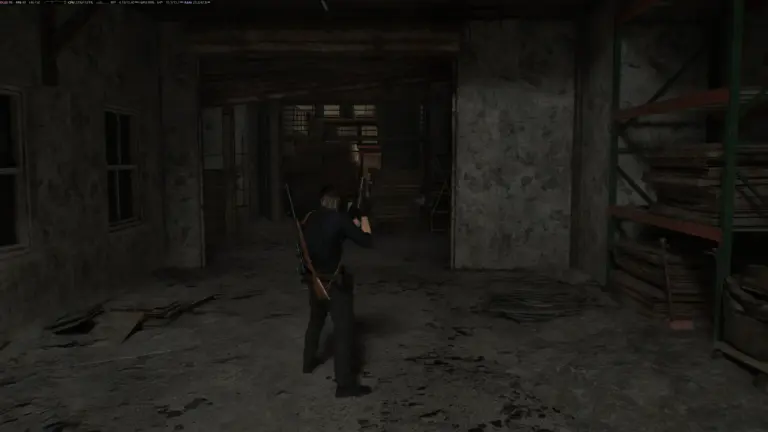

Resident Evil Requiem is a great game, but it shares a common problem seen in many titles: aiming with a controller is not always ideal.
Players who use a keyboard and mouse on PC usually do not face this issue. However, when playing with a controller, aiming can sometimes feel slow, imprecise, or difficult to control. Luckily, there’s a solution. By changing a few settings, you can turn that frustrating feeling into smoother and more responsive controls. Below, we explain the adjustments step by step.
How To Improve Your Aim With A Controller in Resident Evil Requiem

Identify The Problems
When playing with Grace in first-person, the issue becomes more noticeable. The camera takes time to react, and aiming can feel a bit “floaty.” This also fits the character, since she is new to using weapons.
On the other hand, Leon, in third-person, already feels much better. In fact, this mode works quite well even without changing any settings, although there is still room for improvement.
Grace in third-person and Leon in first-person are also playable, but they can feel much better if you apply the adjustments explained below.
Adjust Camera Acceleration
Go to the settings for Grace in first-person mode and increase the camera acceleration to the maximum level. This removes the delay that makes the camera start slowly before speeding up.
You can also adjust the camera speed based on your preference. A faster camera helps you look around rooms more easily, but avoid setting it too high, or it may become harder to control.
Modify The Right Stick Dead Zone
By default, the dead zone is usually set around 25, which causes a delay before the camera starts moving. Lower this value to around 5–7. After doing this, the camera should react almost instantly to small stick movements.
If you notice the camera moving on its own, slightly increase the value until the movement stops.
Sensitivity Curve
Once you have adjusted the acceleration and dead zone, the sensitivity curve becomes less important.
The recommendation is to choose either Smooth or Linear. Try both options and see which one feels smoother when aiming.
Additional Settings
There are a few extra settings that can also help improve your aiming:
-
Camera Wobble: Lower or disable it if it makes aiming harder or causes motion sickness.
-
Aim assist: This is optional, but it can help if you are still missing shots.
-
Reticle deceleration: Set it to 2–3 to make aiming at enemies smoother without the game doing all the work for you.
Finally, make sure you apply these changes to all characters and gameplay modes so the controls feel consistent throughout the game.
If you want to get the most out of Resident Evil Requiem on PC, you can also check our guide on the best Resident Evil Requiem mods you should try.
Meanwhile, if you’re still wondering whether the game is worth buying, you can read our Resident Evil Requiem review. We gave the game a 7 out of 10, saying:
While Resident Evil Requiem is still far more enjoyable than RE7 and RE8 for its gameplay alone, it’s a far cry from every other entry in the series so far that feels a bit lazy, uninspired, and obsessed with spectacle, even if it’s still fun to play.
Resident Evil Requiem is available now on PlayStation 5, Xbox Series X|S, Switch 2, and PC via Steam.